Early-Bird Discounts
Use a hidden timestamp field and Gravity Forms conditional logic to show an early-bird product until a fixed deadline, then switch the form to its regular-price product automatically. This works well for event registration, camps, conferences, and any form with date-based pricing. What you will build Your form will contain three fields: The two product...
Use a hidden timestamp field and Gravity Forms conditional logic to show an early-bird product until a fixed deadline, then switch the form to its regular-price product automatically. This works well for event registration, camps, conferences, and any form with date-based pricing.
What you will build#
Your form will contain three fields:
- a hidden Current Timestamp Number field;
- an Early Bird product field; and
- a Regular Price product field.
The two product fields use opposite conditions. Visitors see one price at a time.
1. Add a hidden current-timestamp field#
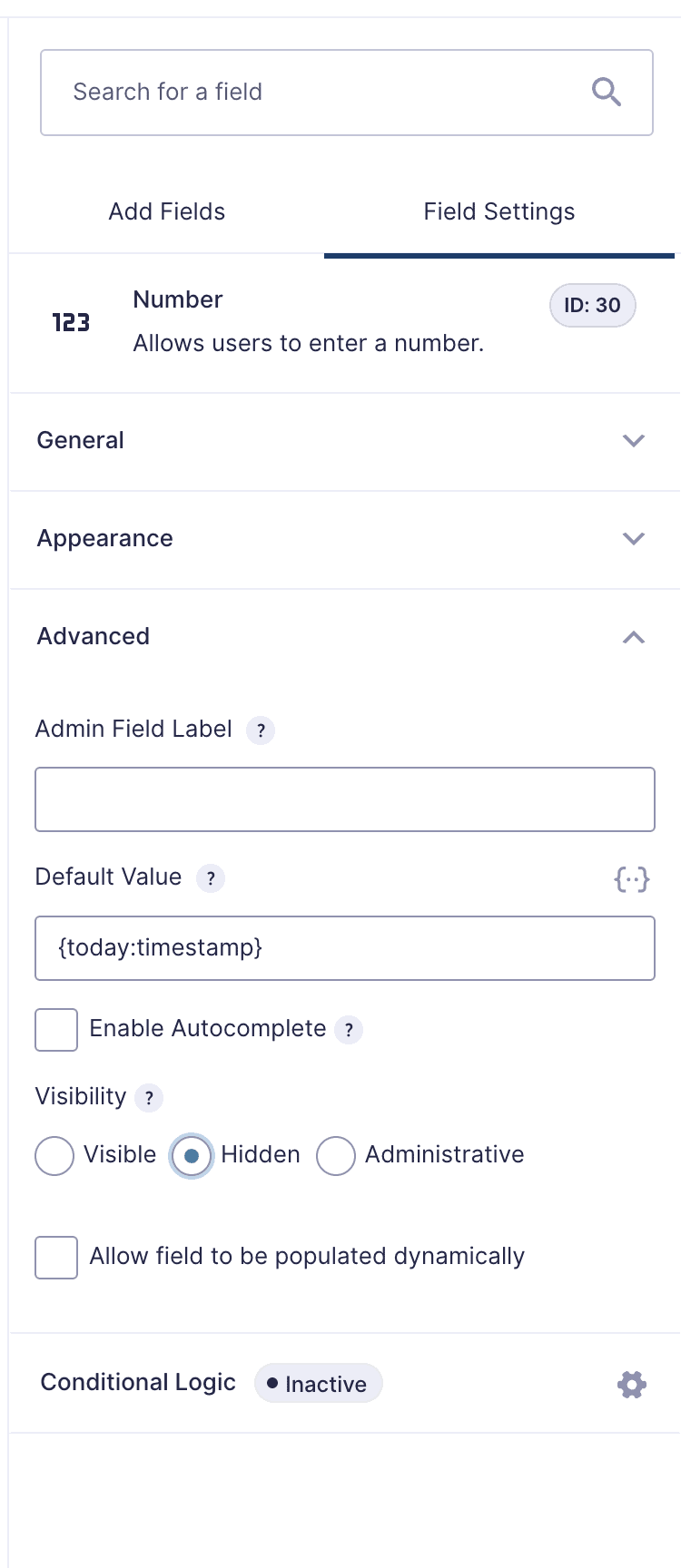
Add a Number field to the form. In its Advanced settings, give it the admin field label Current Timestamp, set the Default Value to {today:timestamp}, and set Visibility to Hidden. Leave conditional logic off for this field.

Gravity Forms fills this field with the current Unix timestamp whenever someone opens the form. The visitor never sees it, but you can use it in conditional logic.
2. Convert the discount deadline to a Unix timestamp#
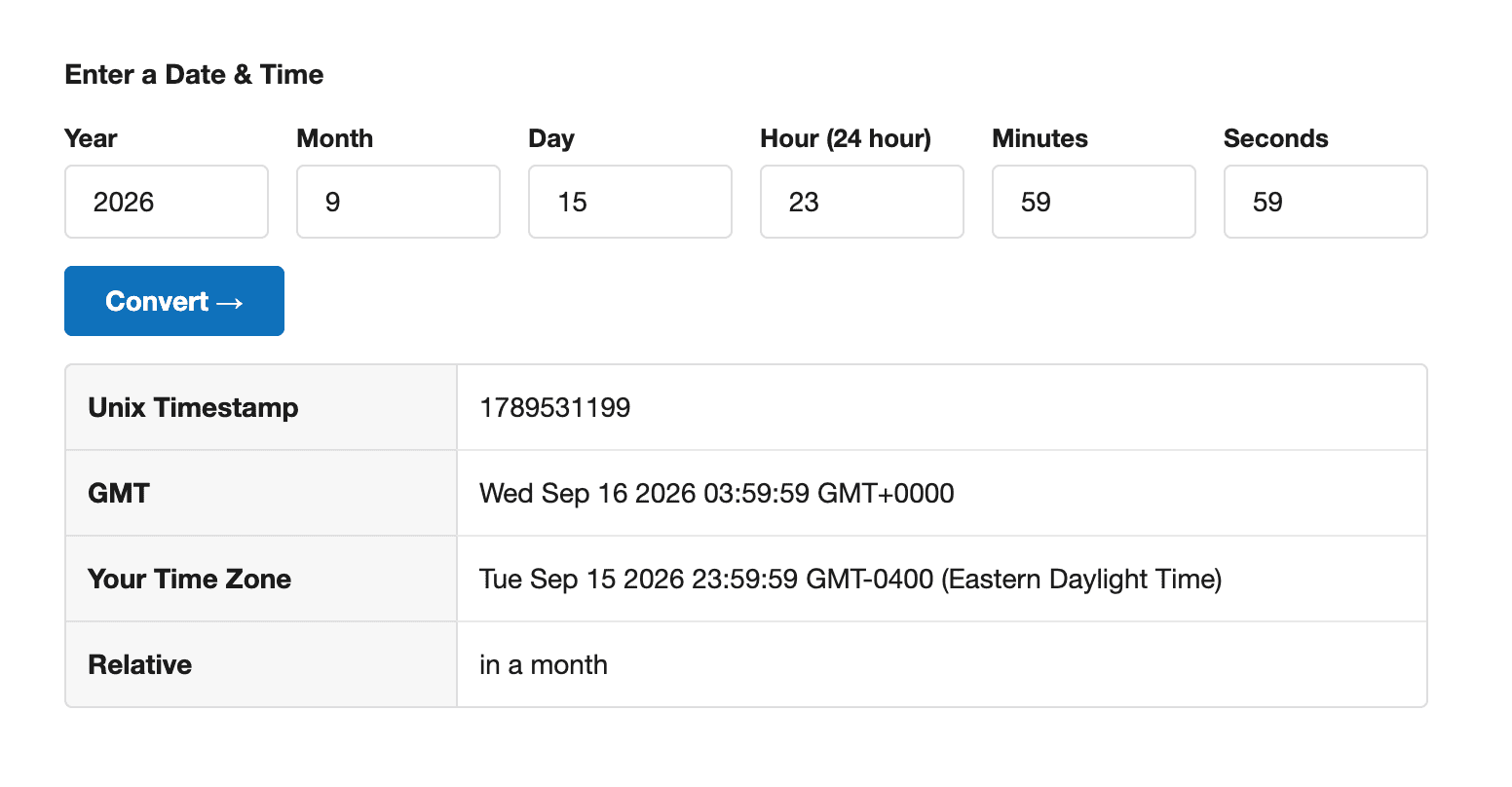
First, decide when the discount should end in the website’s local time zone. If a client says the early-bird price runs “until September 15,” set the deadline to September 15 at 11:59:59 PM.
Enter that date and time at unixtimestamp.com and copy the result. In this example, September 15, 2026 at 11:59:59 PM Eastern Daylight Time produces 1789531199.

Note: Before converting the deadline, double-check the site’s time zone under Dashboard > Settings > General. Use that time zone when setting the cutoff date and time.
3. Show the early-bird product before the cutoff#
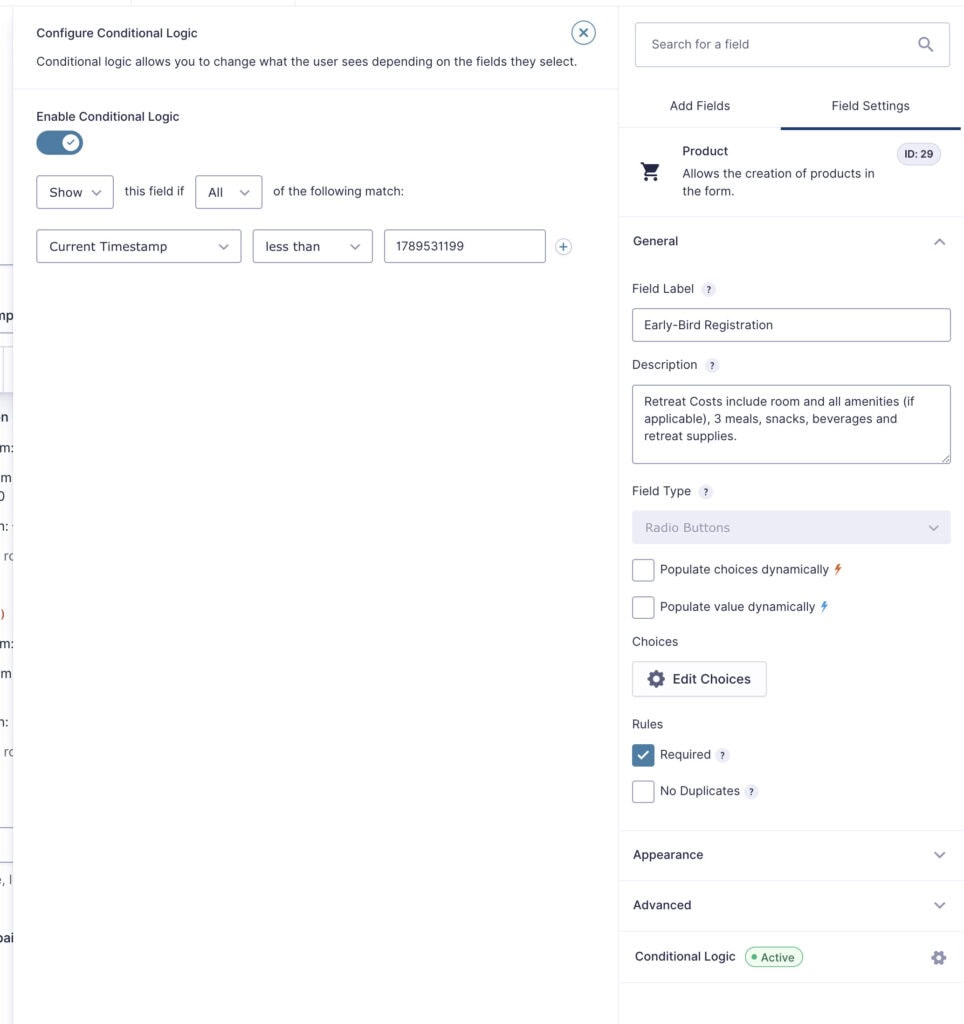
Open the Early Bird product field and turn on conditional logic. Set it to show when Current Timestamp is less than 1789531200.

The timestamp 1789531199 is the final discounted second: 11:59:59 PM. Using the following second, 1789531200, keeps the early-bird product visible through that entire final second.
4. Show the regular-price product after the cutoff#
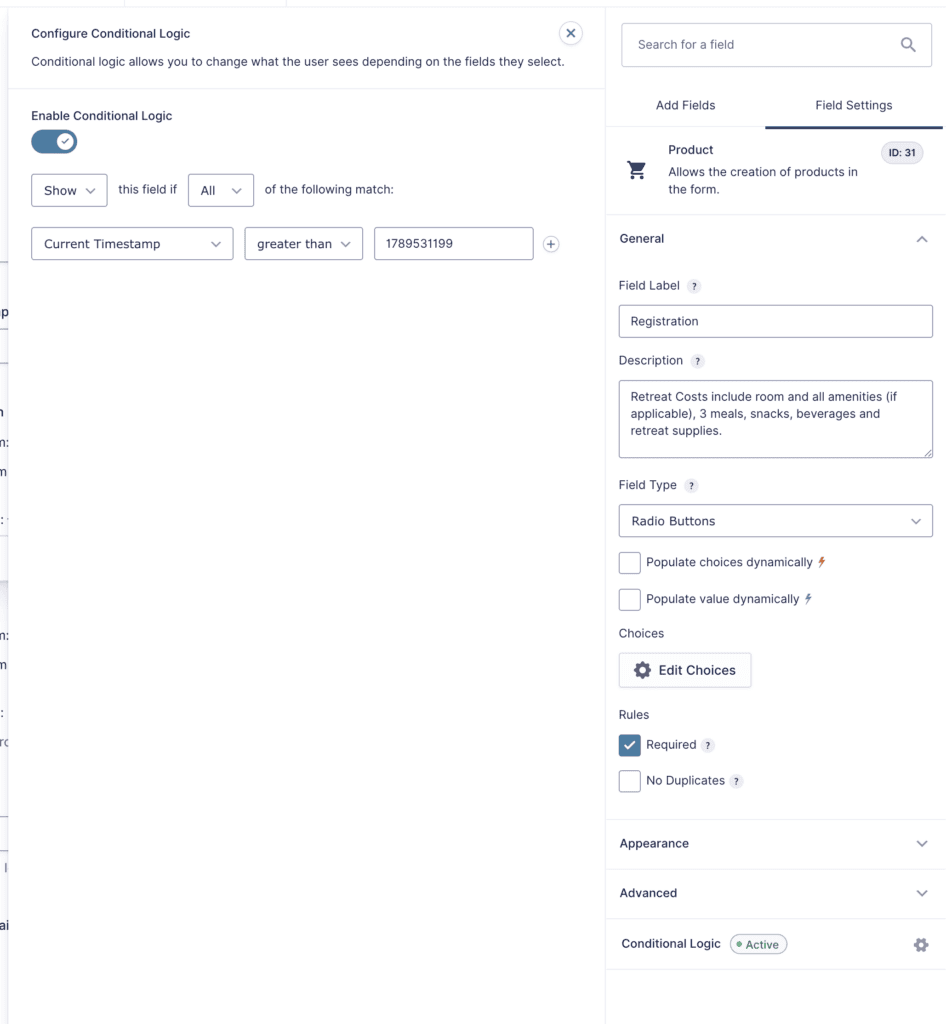
Open the regular-price product field and turn on conditional logic. Set it to show when Current Timestamp is greater than 1789531199.

At 12:00:00 AM on September 16, the current timestamp becomes 1789531200. The early-bird field hides and the regular-price field appears.
5. Test both prices#
Preview the form and confirm that only one product field appears. Before the deadline, the early-bird product should show. After the deadline, the regular-price product should show.
For a quick test, temporarily use a cutoff a few minutes in the future. Once you have watched the form switch prices, replace it with the real deadline timestamp.
Condition reference#
- Final early-bird second:
1789531199 - Early-bird product: Current Timestamp is less than
1789531200 - Regular-price product: Current Timestamp is greater than
1789531199
This pairing gives each second exactly one visible price.