Disable Autocomplete
Sometimes you may want to disable the autocomplete feature for a specific field. This can be done by setting the autocomplete attribute to off. This guide will show you how to disable autocomplete for a field in your form. Select the Form You Want to Edit In the dashboard, find the form you want to...
Sometimes you may want to disable the autocomplete feature for a specific field. This can be done by setting the autocomplete attribute to off. This guide will show you how to disable autocomplete for a field in your form.
Select the Form You Want to Edit#
In the dashboard, find the form you want to edit and open the form editor.
Select the Field You Want to Disable Autocomplete For#
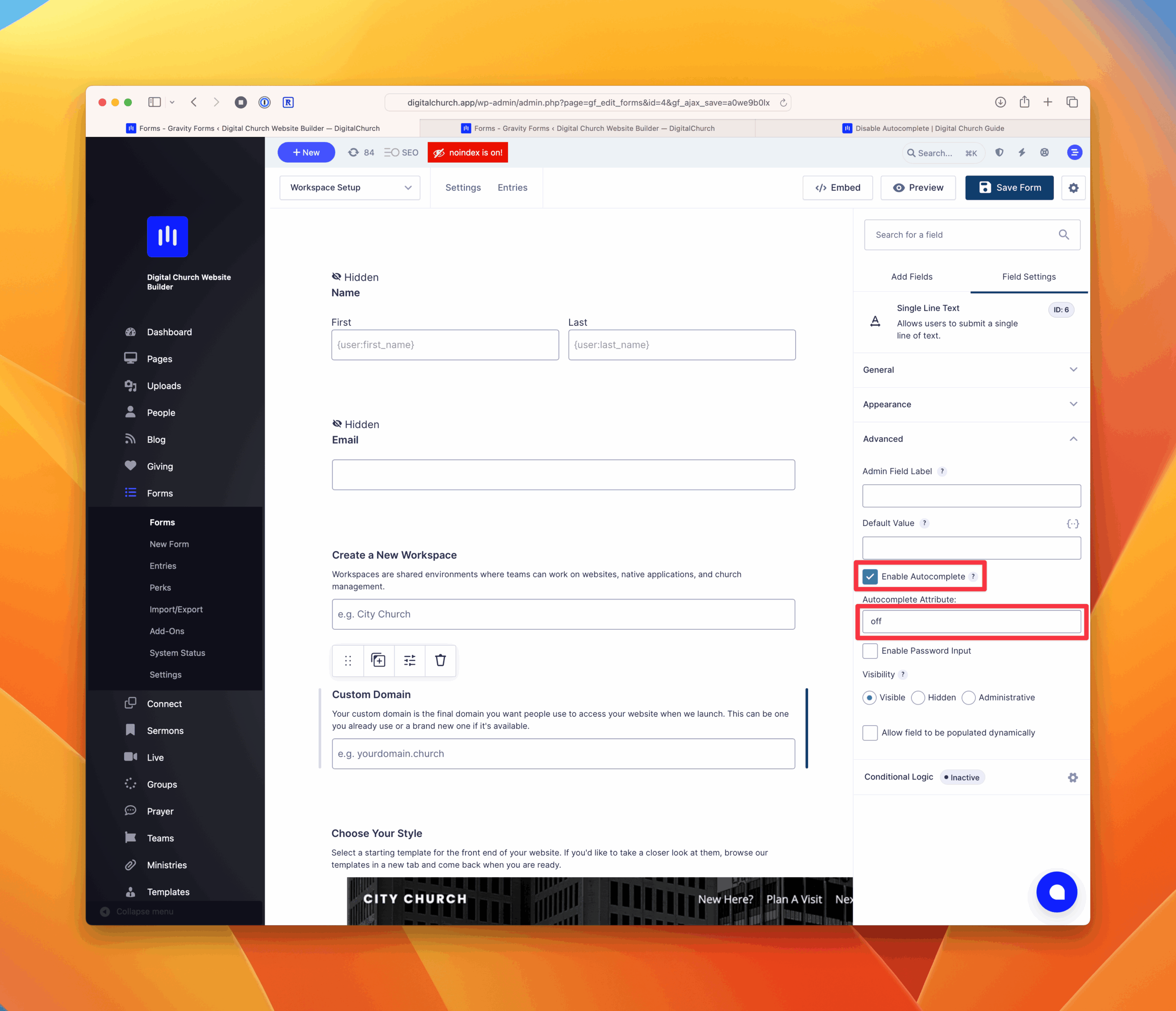
In the field editor, go to the Advanced tab and click on the "Enable Autocomplete" checkbox to enable the Autocomplete Attribute field.
Complete the Autocomplete Attribute Field#
Enter off in the Autocomplete Attribute field.
Save Your Changes#
In the top right corner, click on the button that says "Save Form" to save your changes.