Display Next Recurring Event Only
In list views of the calendar, there may be times when you want to condense the list by only showing the next occurance of a recurring event series. Luckily, that’s possible with a simple setting in the dashboard.
People + agents
Client-authored
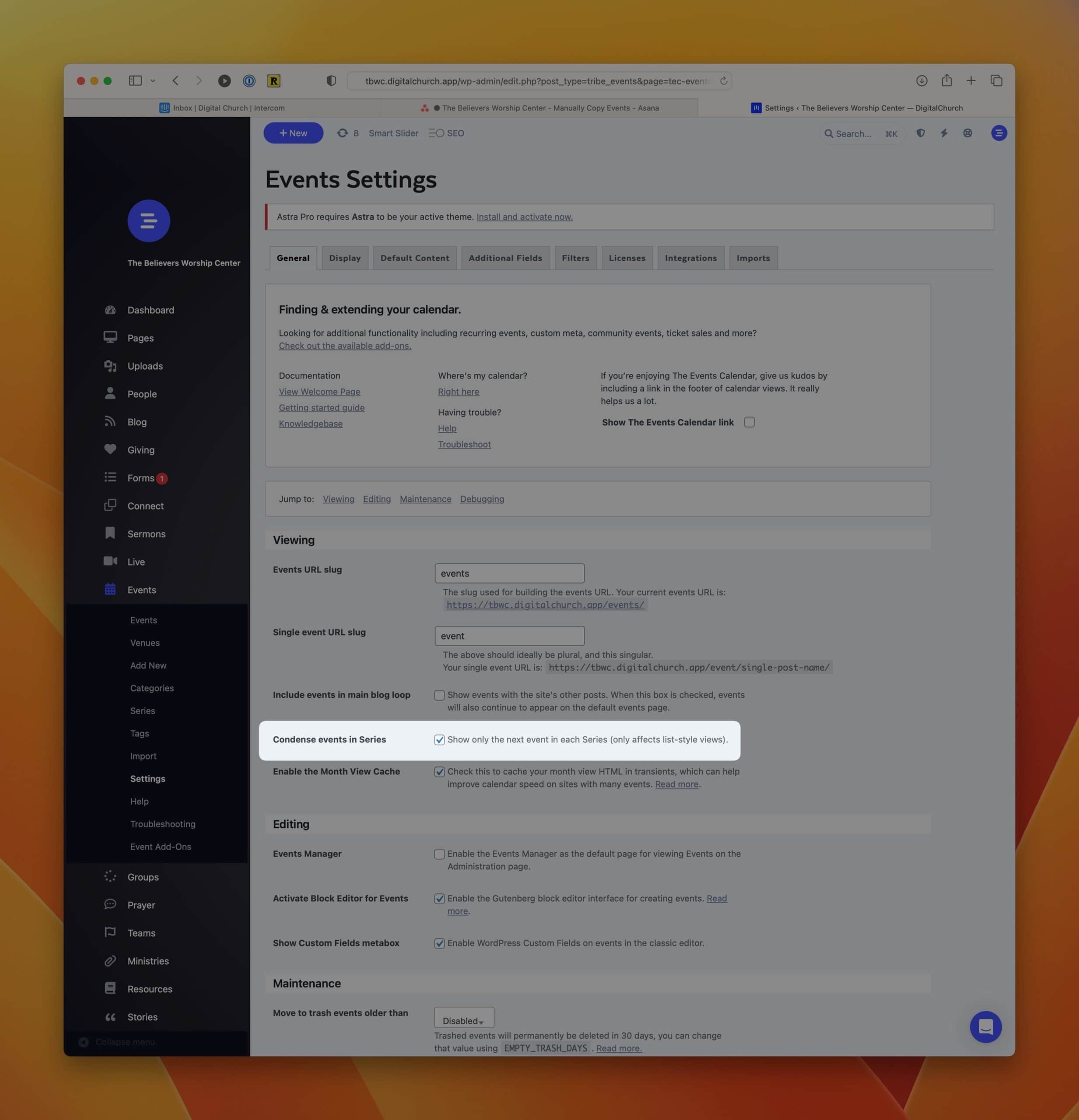
In list views of the calendar, there may be times when you want to condense the list by only showing the next occurance of a recurring event series. Luckily, that’s possible with a simple setting in the dashboard.
- Navigate to Dashboard > Events > Settings
https://your-subdomain.digitalchurch.app/wp-admin/edit.php?post_type=tribe_events&page=tec-events-settings&tab=general - Select the option that reads "Show only the next event in each Series (only affects list-style views)."
- Scroll down and press the Save Changes button.