Sync with Google Calendar
Perhaps you’d rather manage your events in Google Calendar, but still want to use our event management system. Luckily, you can set up a sync between the two. Here’s how: 1. Access your Google Calendar Login to https://calendar.google.com/ and click on the three vertical dots next to the calendar you want to sync. 2. Make...

Perhaps you’d rather manage your events in Google Calendar, but still want to use our event management system. Luckily, you can set up a sync between the two. Here’s how:
1. Access your Google Calendar#
Login to https://calendar.google.com/ and click on the three vertical dots next to the calendar you want to sync.
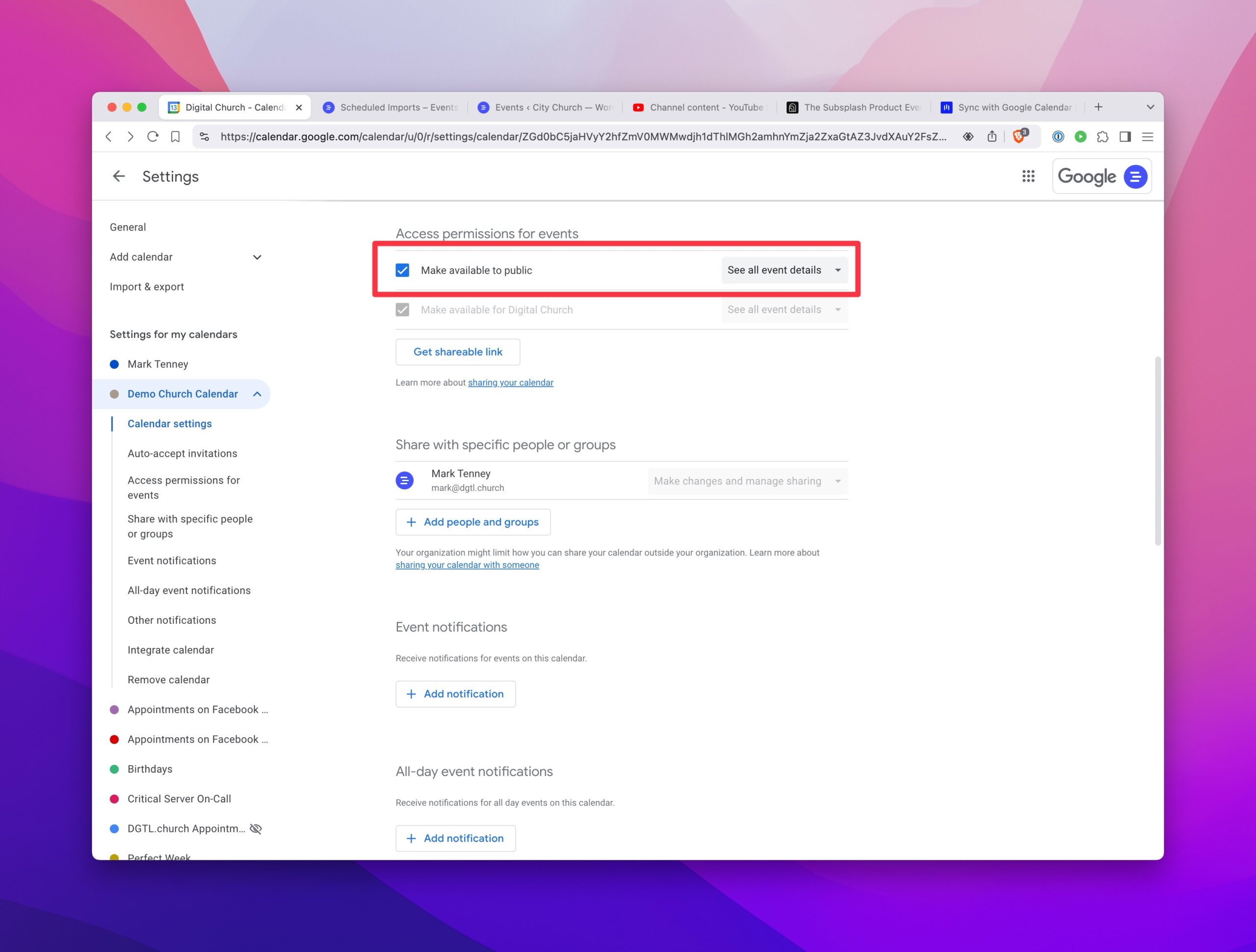
2. Make the Calendar Public#
Make sure the calendar is set to "Public" so that we can access it.
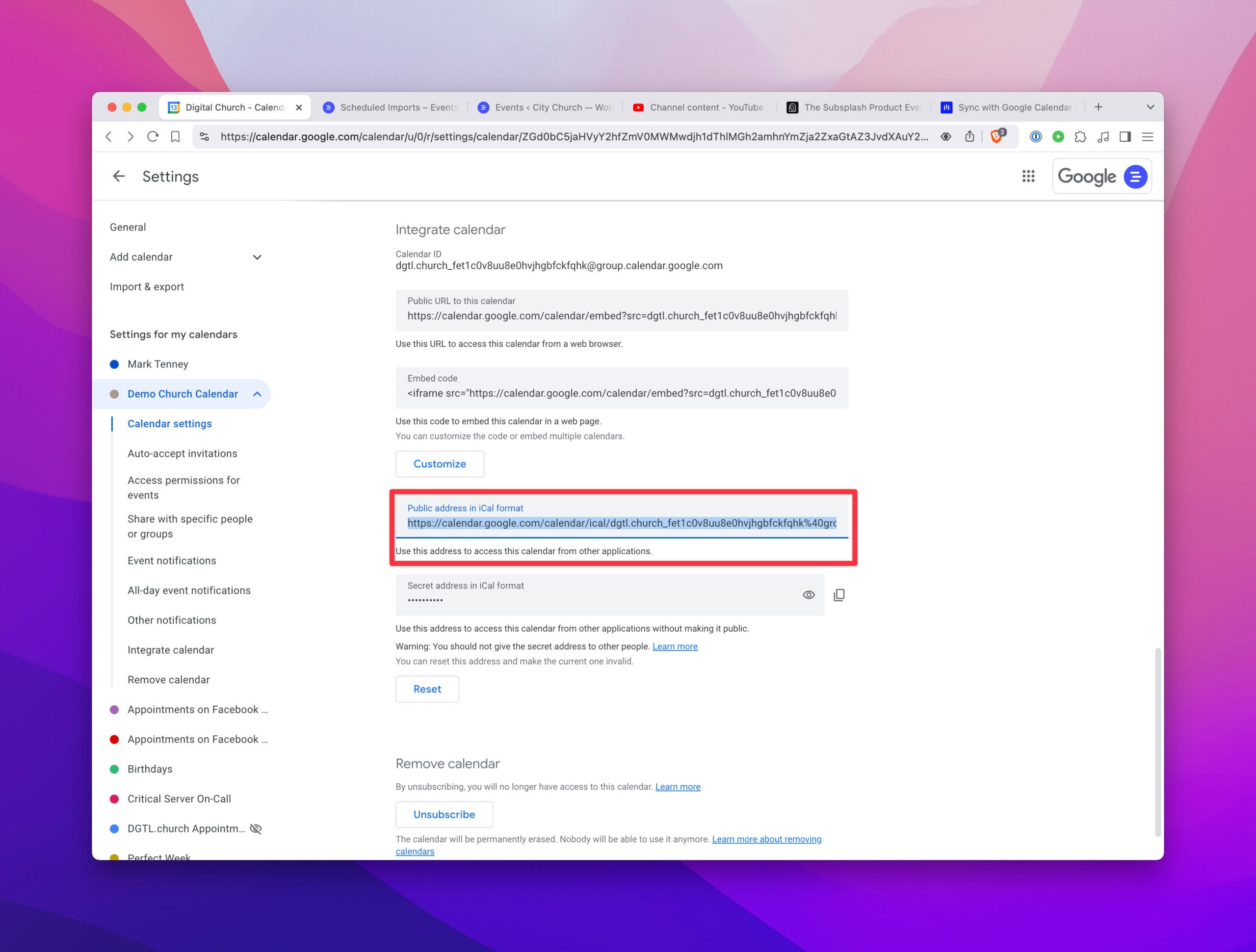
3. Get the ical URL#
Copy the Public URL in ical format.
4. Setup the Import#
Go to Events > Import and select Google Calendar. Set the sync to daily and paste the ical URL.
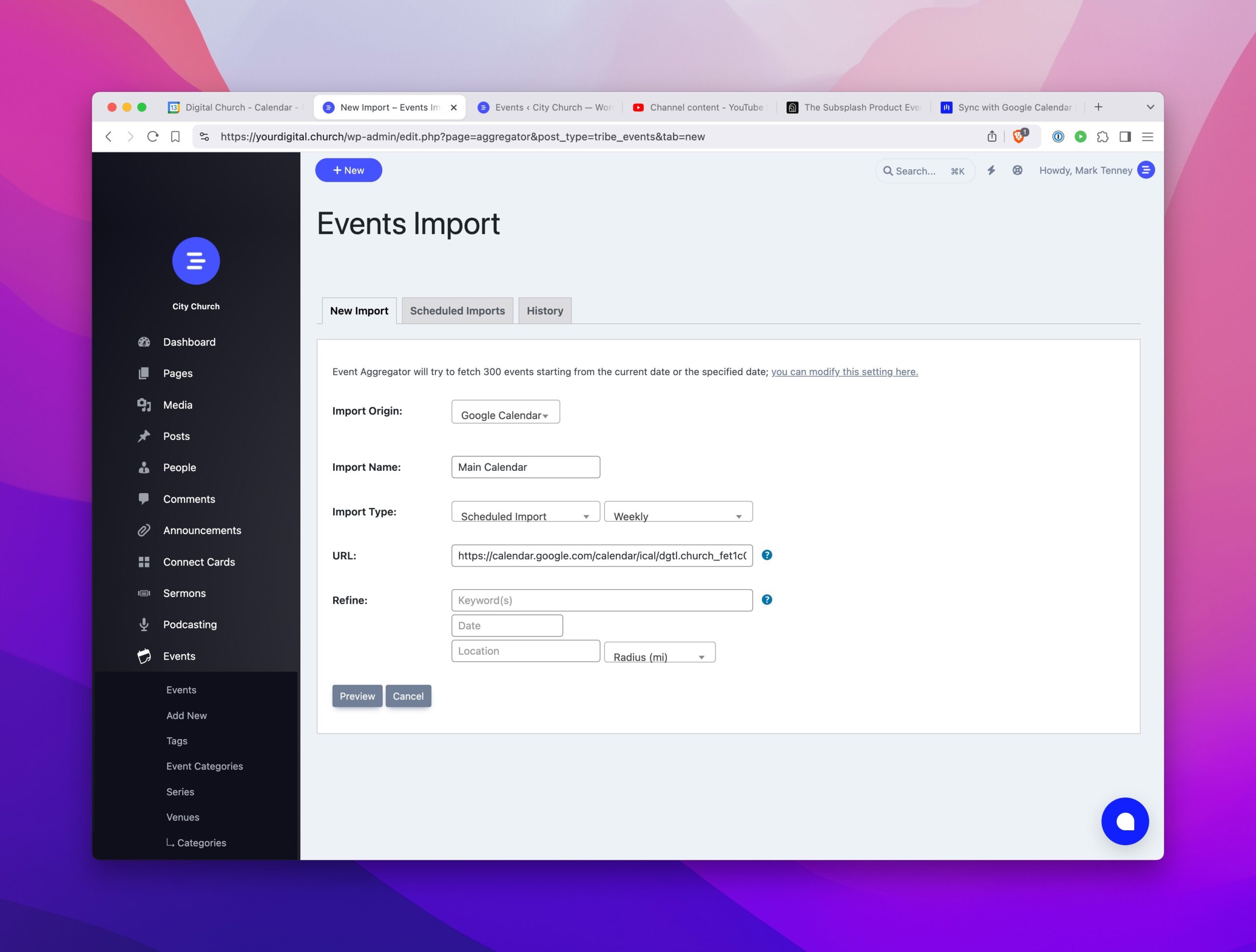
5. Preview and Import#
Preview the import and then click Import.
:::note Outlook Calendar Using Outlook instead of Google Calendar? The process is similar. You can follow Microsoft’s instructions to find your ical feed. :::